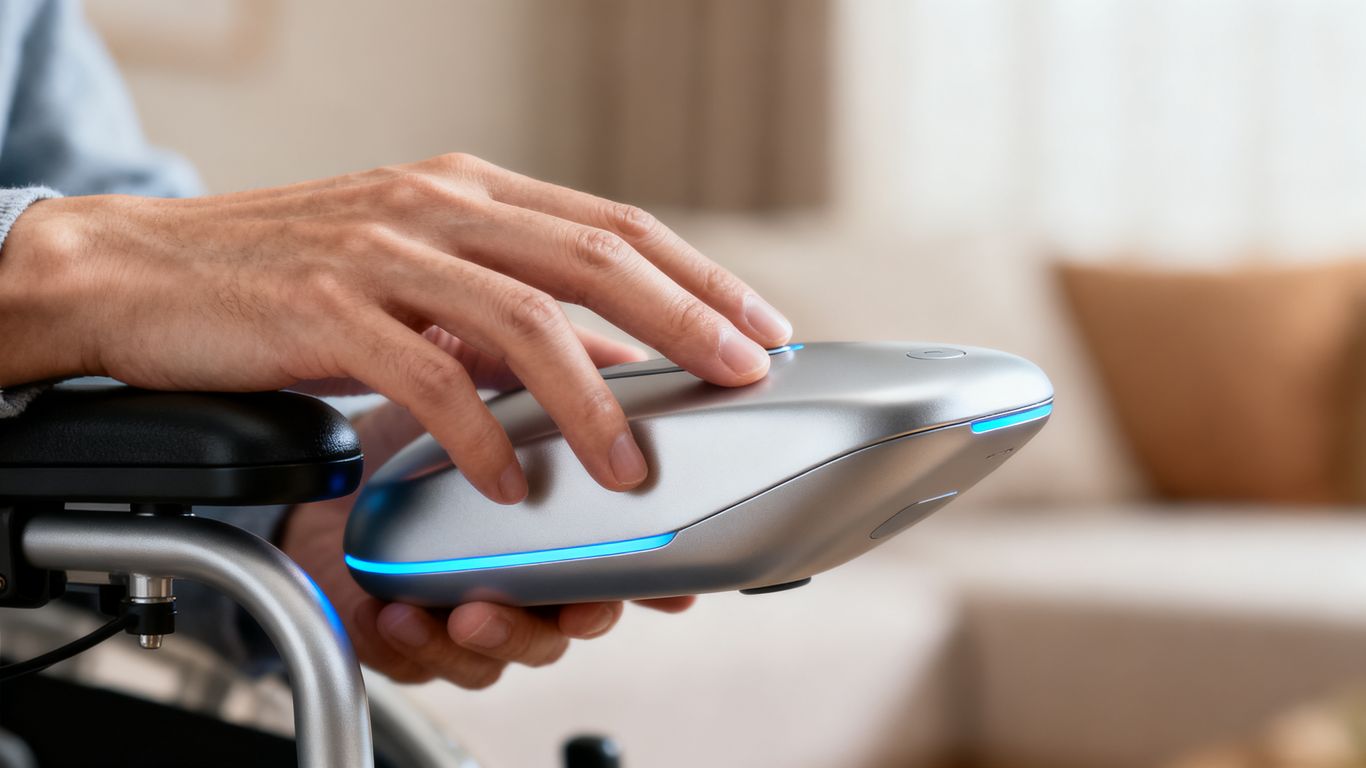
Assistive technology, often called AT, covers a wide range of tools and systems designed to help people with various needs. It’s not just about high-tech gadgets; AT spans from simple, everyday items to complex digital solutions. The main goal is to help individuals maintain or improve their ability to do things, whether that’s learning, working, or just getting through the day. These devices are key to promoting independence and participation in life.
Understanding Assistive Technology
At its core, assistive technology is any item, piece of equipment, or system that helps a person increase, maintain, or improve their functional abilities. This can include a vast array of products. Think about things like:
- Low-tech solutions: These are often simple, everyday items that make tasks easier. Examples include built-up handles for utensils or tools, or even just using paint for floor markings to help with wayfinding. Many of these can be homemade or adapted from common objects.
- High-tech solutions: These involve more complex electronics or software. This could be a speech-generating device controlled by eye movements, specialized computer software, or advanced prosthetic limbs.
- Hardware and Software: AT can be physical items like wheelchairs, specialized keyboards, or prosthetics. It can also be software, such as screen readers for those with visual impairments or communication programs.
Low-Tech to High-Tech Solutions
The spectrum of assistive technology is broad, moving from very basic tools to sophisticated digital systems. For instance, someone with grip issues might find relief using adapted utensils or jar openers, which are relatively simple aids. On the other hand, a person needing help with communication might use a complex speech-generating device that responds to eye gaze. The choice often depends on the specific need and the complexity of the task being addressed. Many products are available off-the-shelf, while others might require modification or even custom creation, sometimes using technologies like 3D printing. It’s about finding the right fit for the individual’s situation, and often, people use a combination of different types of AT to manage their daily lives effectively. Exploring options for daily living aids can be a good starting point for grip weakness.
Customization and Integration of Devices
What works for one person might not work for another, which is why customization is so important in assistive technology. Devices are often adapted or modified to meet unique needs. Beyond individual devices, integrating different AT systems can create a more cohesive and supportive environment. For example, combining a smart home system with a mobility aid could allow for greater control over one’s surroundings. The process of selecting the right AT often involves a team of professionals, including therapists and specialists, who help match specific technologies to individual requirements. This collaborative approach helps ensure that the chosen solutions are effective and practical for everyday use.
Mobility and Environmental Control Solutions
When we talk about making daily life easier with technology, mobility and controlling our surroundings are big pieces of the puzzle. It’s not just about getting around, but also about having command over the spaces we inhabit.
Mobility Aids and Support
For individuals facing challenges with movement, a range of devices can make a significant difference. These aren’t just about basic walking aids like canes or walkers, though those are important. We’re seeing more advanced options, like powered wheelchairs and scooters that offer greater independence for longer distances. Beyond the devices themselves, there are also accessories that help with everyday tasks. Think about specialized bags for walkers or cup holders for wheelchairs – small things that add up to more convenience.
- Wheelchairs and Scooters: Provide powered or manual assistance for movement.
- Adaptive Accessories: Items like reachers, dressing aids (button hooks, zipper pulls), and specialized eating utensils help with personal care and daily tasks.
- Transfer Aids: Devices that help people move safely between surfaces, like beds or chairs.
Environmental Control Systems
Controlling your home environment used to mean physically interacting with switches, knobs, and buttons. Now, technology allows for much more flexibility. Environmental control systems let people manage things like lights, temperature, and even appliances remotely or through simple commands. This can be a game-changer for people with limited physical ability.
- Smart Lighting and Thermostats: Adjust lighting and room temperature using apps or voice commands.
- Appliance Control: Smart plugs and switches can turn devices on and off remotely, even scheduling them for specific times.
- Window and Door Automation: Systems can open or close blinds, curtains, and even garage doors automatically or on command.
Vehicle Modifications for Independence
Getting around outside the home is just as important. Vehicle modifications can open up a world of possibilities for independent travel. These changes can range from simple additions to more complex overhauls, all aimed at making driving or riding safer and more accessible.
- Hand Controls: Allow individuals to operate a vehicle’s gas and brake pedals using their hands.
- Wheelchair Securement: Systems like tie-downs and lifts help secure wheelchairs within a vehicle.
- Access Ramps and Lifts: Make it easier to get into and out of vehicles, especially for those using wheelchairs or scooters.
Communication and Cognitive Support
When talking or thinking becomes a challenge, a range of tools can make a big difference. These devices help people express themselves and manage daily tasks more easily.
Speech Augmentation and Generation
For those who find speaking difficult, there are ways to get their voice heard. This can include simple tools like voice amplifiers that make a person’s natural voice louder. More advanced options are speech-generating devices, which can be programmed with words or phrases. Some systems let you type out what you want to say, and the device speaks it aloud. Others use symbols or pictures that, when selected, produce spoken output. These technologies aim to restore or supplement verbal communication.
Cognitive Aids and Memory Support
Keeping track of appointments, medications, or even just daily tasks can be tough. Cognitive aids are designed to help with this. Think of them as digital assistants for your brain. They can include:
- Reminder systems: These can be simple alarms or more complex apps that prompt you about appointments or when to take medicine.
- Memory aids: Devices that help recall information, like digital notepads or apps that store important contacts and details.
- Organizational tools: Software or apps that help plan schedules, manage to-do lists, and keep information tidy.
Tools for Learning and Organization
Beyond memory, there are tools that assist with learning and staying organized in general. Text-to-speech software can read digital content aloud, which is helpful for people who struggle with reading or processing written information. For organizing thoughts and tasks, digital planners and note-taking apps are quite useful. They allow for easy input, storage, and retrieval of information, making it simpler to manage schoolwork, projects, or personal responsibilities.
Sensory Assistance Technologies
Sensory assistance technologies are designed to help individuals who experience challenges with their sight or hearing. These tools aim to bridge the gap created by sensory impairments, making everyday life more accessible and manageable. It’s not just about seeing or hearing better; it’s about reconnecting with the world around us.
Vision Enhancement Tools
For those with visual impairments, a range of devices can make a significant difference. These tools can help with everything from reading to navigating unfamiliar spaces. The goal is to provide greater independence and reduce reliance on others for daily tasks.
- Magnifiers: These come in various forms, from handheld versions to electronic magnifiers that can enlarge text on a screen or a physical page.
- Screen Readers and Text-to-Speech: Software that reads digital text aloud is invaluable for accessing computers and mobile devices. Optical Character Recognition (OCR) technology can even convert printed text into speech.
- Braille Displays: These devices translate digital text into Braille, allowing individuals who read Braille to interact with electronic content.
- Navigation Aids: Some devices use audio cues or haptic feedback to help users navigate their surroundings, offering a sense of direction and obstacle detection.
Hearing Assistance Devices
Individuals with hearing loss have access to technologies that improve their ability to communicate and perceive sounds. These devices can amplify sounds or provide visual cues for auditory information.
- Personal Amplification Systems: These are more advanced than simple hearing aids and can include systems that transmit sound directly from a TV or phone.
- Wireless Listening Systems: These systems reduce background noise and deliver clear audio directly to the listener, making conversations and media consumption easier.
- Visual Alert Systems: Devices like flashing doorbells or vibrating alarm clocks provide non-auditory alerts for important sounds, ensuring users don’t miss critical information.
Alert Systems for Sensory Impairments
Beyond specific vision or hearing aids, general alert systems are crucial for safety and awareness. These systems often combine different sensory outputs to ensure a message is received.
- Smart Alert Devices: These can be linked to various events, such as a smoke alarm or a baby crying, and can alert the user through flashing lights, vibrations, or even text messages to a mobile device.
- Integrated Home Systems: Some assistive technology setups can integrate with smart home devices to provide alerts. For example, a smart doorbell could trigger a flashing light in the house when someone arrives. Exploring options for assistive technology can reveal many such integrated solutions.
- Wearable Alert Devices: These personal devices can alert the user to specific sounds or events through vibration or visual cues, providing a constant layer of awareness throughout the day. These sensory motor tools are vital for many.
Computer and Digital Accessibility
Accessing and using computers and digital tools can present unique challenges for some individuals. Fortunately, a wide array of assistive technologies exists to bridge this gap, making the digital world more approachable. These tools are designed to adapt technology to individual needs, rather than requiring individuals to adapt to the technology. The goal is to ensure everyone can participate fully in our increasingly digital society.
Alternative Input Devices
For those who find standard keyboards and mice difficult to use, alternative input devices offer practical solutions. These can range from specialized keyboards with larger keys or different layouts to pointing devices that respond to eye movements or head tracking. Some common options include:
- Trackballs and Joysticks: These can provide more precise cursor control for individuals with limited hand dexterity.
- One-Handed Keyboards: Designed for use with a single hand, these often feature keys arranged in a more accessible pattern.
- Sip-and-Puff Systems: Users control the computer by sipping or puffing into a straw, which can be useful for individuals with significant physical limitations.
- Eye-Gaze Technology: This advanced system allows users to control a cursor and make selections simply by looking at the screen.
Screen Readers and Magnification Software
Individuals with visual impairments have access to powerful software that makes digital content visible and understandable. Screen readers convert text on the screen into synthesized speech or Braille output, allowing users to interact with websites, documents, and applications. Magnification software, on the other hand, enlargates portions of the screen, making it easier for those with low vision to see text and images. These tools are vital for accessing the internet and using computers for work, education, and personal communication.
Voice Recognition Technology
Voice recognition, also known as speech recognition, allows users to control their computers and dictate text using their voice. This technology has become increasingly sophisticated, offering a natural and efficient way to interact with digital devices. It can be particularly helpful for individuals who have difficulty typing or using traditional input methods. Many operating systems now include built-in voice recognition features, and specialized software is also available to further customize the experience.
Smart Home Integration for Enhanced Living
Integrating smart home technology can significantly improve daily living for many individuals. These systems allow for greater control over one’s environment, often reducing the need for physical interaction with devices. Think of it as giving your home a brain that can respond to your needs.
Smart Plugs and Lighting Control
Smart plugs are a simple yet effective way to make traditional appliances “smart.” You plug a device, like a fan or a lamp, into the smart plug, and then connect the plug to your home network. This allows you to control the device remotely via a smartphone app or voice commands. For instance, you could turn on a bedside lamp without having to reach for a switch, or schedule a fan to turn on at a specific time.
Smart lighting takes this a step further. You can replace existing light bulbs with smart bulbs or install smart switches. This provides a range of benefits:
- Remote Operation: Turn lights on or off from anywhere using your phone.
- Scheduling: Set lights to turn on at dusk and off at dawn, or create custom schedules for different times of day.
- Automation: Lights can be triggered by motion sensors or other smart devices.
- Mood Setting: Many smart bulbs can change color and brightness, allowing for personalized ambiance.
Voice-Activated Home Automation
Voice control is a cornerstone of smart home accessibility. Devices like smart speakers act as central hubs, allowing users to manage various connected appliances and systems using simple voice commands. This is particularly helpful for individuals with limited mobility or dexterity. Instead of fumbling with multiple switches or apps, a single spoken phrase can adjust lighting, change the thermostat, or even lock doors.
Remote Monitoring and Control Systems
Beyond convenience, smart home technology offers valuable tools for safety and peace of mind. Remote monitoring systems allow individuals or their caregivers to keep an eye on the home environment from a distance. This can include:
- Security: Smart locks can be monitored and controlled remotely, and notifications can be sent when doors are opened or closed.
- Environmental Awareness: Sensors can detect smoke, carbon monoxide, or water leaks, sending alerts to your phone.
- Activity Tracking: Some systems can provide a general overview of activity within the home, which can be useful for checking on loved ones.
These integrated systems work together to create a more responsive and supportive living space, promoting independence and a better quality of life.